
How to Choose a Tax Preparer for Truckers

Think – Who did your income taxes last year? Did they give you good service? Were you happy with the result? Did they even KNOW trucker taxes?

Over a year ago, the TruckingOffice team made a commitment to go beyond simply providing the very best bookkeeping and record keeping services available. We began a search for the very best in other important services that all professional drivers need, like factoring, insurance and tax services.

Several months ago, we had the opportunity to become personally acquainted with Dennis Bridges and his team at eTruckerTax. (His main office is in Atlanta, but he works with drivers nationwide.)

The questions we asked ourselves in our search are the same ones that you should ask yourself if you happen to be searching for a new preparer:

  1. Do they give prompt, attentive service?
  2. Do they know trucker taxes inside and out?
  3. Do they provide a great value for the fees charged?
  4. Have they been around basically forever? Do they have a track record? Have they proven themselves?
  5. And finally, are they fun and pleasant to deal with?

After checking out Dennis Bridges and eTruckerTax VERY thoroughly, we are very happy to recommend them to you for all your tax needs, starting with this tax season.

If filing your taxes is about as fun as a trip to the dentist, or if you answered “No” to even one of the questions above when you checked out another tax service, we strongly recommend that you reach out to Dennis Bridges, CPA and his awesome team at eTruckerTax TODAY!

Dennis has been working with truck drivers and small trucking companies nationwide for over 20 years, helping owner-operators save THOUSANDS of dollars on their taxes.

You can click here to find out about a very special offer he has put together exclusively for TruckingOffice members, whether you’re still dealing with prior-year issues or you just want the best trucker tax guy in the country to handle your taxes.

For even faster service, call his office direct at 888-234-3485, and be sure to tell them you’re from TruckingOffice. His special offer for our TruckingOffice members is only available for a limited time, so check him out today while it’s on your mind!

Best regards,
Your friends at TruckingOffice

P.S.- Is the IRS breathing down your neck? They deal with IRS problems of all kinds too! Dennis literally wrote the book on dealing with IRS issues. Call or email them today and sleep better tonight!

P.P.S.- Still not convinced? Check out what these folks said about him…

“Dennis Bridges is one of the few accountants in the country that really understands truckers and their taxes.”
-Attorney Tommy Swate, Speaking at the Great American Trucking Show (GATS) in Dallas, Texas

“Dennis Bridges is the trucker’s IRS Problem Solver!”
– Brendan Cooney, Assoc. Editor, Truckers News Magazine

Our IFTA Software Can Help You Survive an Audit

No one enjoys paying taxes; that’s something we can all agree on.  However, as Benjamin Franklin said, “in this world nothing can be said to be certain, except death and taxes”—they’re an inevitable part of life. But our IFTA software can minimize the chances that you will be audited, as well as help to ensure that the process will be as painless as possible if the tax collector does come knocking on your door.

Some Basic Facts About IFTA

The big advantage to the Interstate Fuel Tax Agreement (IFTA) is that if you are audited, you will never have to deal with more than one auditor.  Back in the day, you might have received a visit from a Michigan auditor one day and ones from Georgia and Ohio the next.  So, all in all, IFTA has done a good job of streamlining the process of paying fuel taxes.

This isn’t always the case, though.  Take purchase records, for example.  Some states may require you to keep them for four years, while others want you to keep them longer.  So you’ll want to play it safe, by not just meeting but exceeding the stated requirements.

Keep in mind also that auditors aren’t big fans of rough estimates.  Many a driver has found this out when he or she used established travel routes to calculate how many miles were covered and paid taxes based on those figures.  Then when the auditor showed up, the trucker was reminded of the bridge that was out of service on the day they went through Chicago, the one that took them 50 miles out of their way.

Auditors are also quick to notice anything that looks even remotely fishy.  For example, if the records seem to indicate that a driver did most of his or her trucking in states where the fuel taxes are low, then they are likely to order a full-scale examination of the records.  And they could care less what the official distance is from point to point, as determined by MapQuest or by mapmakers.  The miles from one spot to the next are whatever the auditor says they are.  Such are the harsh realities when dealing with an IFTA representative.

What the Auditor Will Want to See

The auditor will want precise odometer readings.  He or she will also consult trip logs, DOT records, and the reported IRP miles.  They will use this to determine as precisely as possible how many miles were actually driven, and compare this with the receipts submitted by the driver.

If there is a discrepancy between the two, then the auditor will assess how much tax should have been paid.

In the past some drivers have tried the “sorry, but I lost those receipts” response.  This is not a good idea.  The auditor will simply do his or her own estimate of what is owed, and chances are high that the driver will not be happy with the figure.  And of course the tax collector can always levy fines against anyone who doesn’t cooperate fully with the investigation.

If this doesn’t sound like much fun, that’s because it’s not.

Your Best Defense is Complete, Accurate Records

Most auditors aren’t out to get owner operators or fleet owners; they have a job to do and they’re very serious about doing it correctly.  Hopefully you’ll never have to deal with an audit.  But if you do, you can’t go wrong by having our trucking business software in your corner.  It accurately calculates the exact number of miles driven per state, and records it in a clear, easy-to-understand format.  So if the tax collectors do come knocking, you can face them with confidence, knowing you have all your ducks in a row.  But don’t take our word for it; give TruckingOffice a free 30-day test drive and see for yourself.

How Trucking Management Software Can Help You

Whether you’re an independent owner/operator or have a fleet of trucks, you have plenty of responsibilities that company drivers never have to fool with.  Whether it’s making sure that your trailers are properly maintained or keeping Uncle Sam happy, you certainly have enough management tasks to keep you busy.  Fortunately, we can make those duties easier to carry out, thanks to our advanced, interactive, easy-to-use trucking management software.

Handling IFTA Issues

As truck owners or managers, we may sometimes grumble about IFTA rules and regulations, but they’re actually designed to make things easier for interstate drivers.  They offer these advantages:

  1. You can select a single IFTA-member state as your base jurisdiction
  2. A single fuel tax license works for every vehicle in your fleet and permits them to operate in all IFTA jurisdictions
  3. You file a single tax report every quarter with your base jurisdiction, which covers your fuel use and mileage for all IFTA member states
  4. With rare exceptions, your fuel tax records will only be audited by your base jurisdiction

While this is certainly better than dealing with trip permits from multiple states, it does have its share of headaches.  Accurately entering the miles for each state can quickly become a nightmare that may result in you overpaying your fuel taxes or being set up for an audit.

That’s why we added IFTA software functionality to our Trucking Office applications to make managing your fuel tax records quick and easy.  You’ll have no math to do and no worries about dealing with an audit.  All miles are calculated and recorded accurately on a state-by-state basis, saving you the tedium of manually logging the records in yourself.  We handle the little details so you can concentrate on the big things, like getting more runs and increasing your bottom line.

We Make Dispatching Easier, Too

Like fuel taxes, dispatching comes with its own share of paperwork hassles.  Keeping track of miles driven, pay rates for different drivers, percent and weight fees, and which dispatch occurred on which day for which customer is enough to give even a math whiz a king-sized migraine.

We know; we’ve been there, and for many years we did it the old-school way, with pen and pencil and a bottle of aspirin always close by.  That’s why our software apart from other trucking dispatch programs on the market.  Here are just some of its features:

  1. Allows you to sort dispatches by driver, state, customer, or truck with one simple click of the mouse
  2. PC Miler feature tracks all miles, including deadheads, automatically
  3. Lets you use a variety of options for driver pay, including by the mile and by percentage
  4. Sets up future loads with the scheduling feature for accurate, on-time dispatching
  5. Generates precise revenue records, so you can see exactly where you stand financially

Other Features

  1. Invoice feature stays on top of all invoices, lets you know what’s coming due, what’s overdue, and even generates personalized invoices with your company name on them, for a professional appearance
  2. Driver tracking feature eliminates any squabbles over who drove which load.  It lets you make sure that each of your people gets the pay they have coming to them, without any mix-ups
  3. Expense tracking feature keeps you on top of your business costs, so you know where every dollar is going
  4. Maintenance feature gives you exact details on every repair, oil change, or other work done on your trucks, whether you have one or 100
  5. Truck tracking feature lets you know when taxes or scheduled maintenance jobs are coming due for each vehicle in your fleet

Try it Yourself!

The fact is, we could brag all day about how great our trucking management software is.  But, as the saying goes, the proof of the pie is in the eating.  So take TruckingOffice for a 30-day free test drive.  If you don’t agree that it’s everything we say it is, then just cancel your account.  We won’t even ask you for a credit card number until the one-month period is over.  That’s how sure we are that once you try TruckingOffice, you’ll wonder how you ever got along without it. Click here to start your free trial today!

How Our IFTA Software Helps You Succeed

If you’re a little confused about how to figure your Interstate Fuel Tax Agreement (IFTA) payments, then you’re far from alone.  Even the publications that the government puts out to “help” with the process make it clear how easy it is to make costly mistakes.  For example, one pamphlet put out by the Florida DOT says, “a minor error can cause an entire tax return to be calculated incorrectly and thereby create a costly mistake for the licensee.  Tax returns with detected errors cannot be processed and will be returned to you (the driver) for correction.”  No wonder so many transportation professionals are using TruckingOffice’s IFTA software to make this once-complex task easy and quick.

There’s no reason to feel bad about using software to calculate your IFTA taxes.  Going at it without some high-tech help would drive even Einstein nuts.  Some of the many details that must be figured and recorded exactly right include:

  1. Whether the return is an original, amended, or final one.
  2. Exact types of fuel used; for example, if any of your trips were made with a truck that runs gas instead of diesel, you must create a separate report just for those runs.
  3. Total mileage driven, in both IFTA and non-IFTA jurisdictions.  As these figures are based on odometer readings, even a single misplaced digit can throw the entire report off.
  4. Total number of gallons of fuel pumped into qualified vehicles in both IFTA and non-IFTA jurisdictions (and don’t forget to round to the nearest whole number!).
  5. Average miles per gallons (MPGs) driven, which is determined by calculating the figure with three decimal places and then using arithmetical rounding to convert the final sum back to two decimals.
  6. A listing of each jurisdiction in which a surcharge was applied.  Plus, such jurisdictions must be listed twice, on two different lines, for the form to be correct.
  7. Number of taxable gallons used in each jurisdiction, calculated to the nearest whole number and without any decimals applied.
  8. Total amount of taxes already paid in each jurisdiction, determined from either fuel receipts or bulk fuel withdrawal slips and calculated to the nearest whole number.
  9. The exact amount (if any) due from prior quarters, which must include the exact amount of interest due, along with any applicable late fees and/or penalty amounts.


We could go on, but you get the point.  That’s why we’re so excited about our truckers software; among its many great features is a set of handy, easy-to-use tools that make figuring and paying your IFTA taxes a simple, no-hassle affair.  Here are some of the benefits our IFTA software offers:


  • Automatic mileage calculations with PC Miler.
  • Instant recording of miles by state.
  • Easy to use screens for entering fuel information.
  • Gallons of fuel used per state are calculated instantly by the software.
  • IFTA reports are created instantly, including mileage and gallons per state.
  • All of your IFTA records can be easily updated, edited, and managed.
  • Allows accurate, on-time payment of all fuel taxes; never over- or under-pay again.

Drastically reduces the chances you’ll be audited.  However, if you are audited, the process will go quickly and smoothly, and you’ll have everything you needs at your fingertips to prove you’ve paid exactly what you owe.

The biggest benefit of all – no math needed!  That’s right; no adding, subtracting, dividing, or multiplying.  No worrying if you entered a number wrong or didn’t dot every “i” or cross every “t” just right.

With TruckingOffice, you will be in control, not only of your IFTA payments, but also of every part of your trucking business.  So go ahead; give it a free 30-day test drive starting today.


IFTA Reports: The Basics

October 31 is coming up fast; don’t forget to file your IFTA reports! Here’s a basic rundown of what they are, how to file, and how to make it easier.

1. To put it simply, the International Fuel Tax Agreement (IFTA) is a pact between the lower 48 states and the ten Canadian provinces that requires all interstate motor carriers to report fuel taxes. The agreement doesn’t affect Hawaii, Alaska or the three northern Canadian territories.

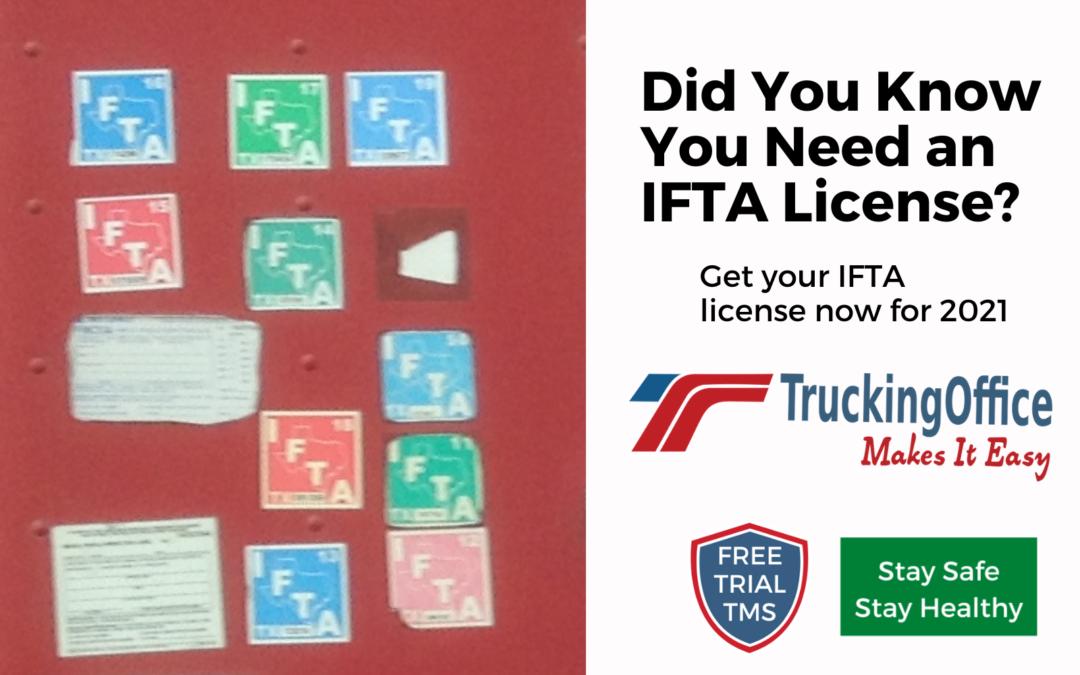
2. IFTA was put in place to replace the old fuel tax system, in which trucks were required to have a separate decal for every state they operated in. IFTA simplifies the reporting and paying of taxes.

3. The IFTA pact is intended to simplify the hassle of reporting fuel tax for trucking companies (including owner-operators) who operate across IFTA jurisdictions.

4. The agreement applies to all trucks meeting the qualifications below:

A. Those with two axles and a gross vehicle weight rating or registered gross vehicle weight above 26,000 pounds

B. Those of any weight which have three or more axles

C. Any combination of vehicles with a total gross vehicle weight or weight rating above 26,000 pounds

5. The carrier receives an IFTA license as well as an IFTA decal for each qualified vehicle they operate.

6. The carrier files fuel tax reports every three months. These reports determine either the amount still owed or the refund due the carrier.

7. IFTA applies strictly to vehicles used for commercial purposes. RVs, truck/camper combinations, and busses used for personal pleasure are exempt from it.

8. Whenever fuel is purchased, the amount is logged into the truck owner’s IFTA account. At the end of each quarter an IFTA report is submitted that lists the miles driven and the gallons purchased. The IFTA office in the trucking company’s home state then issues refunds or debits based on those reports.

9. Every owner of a qualified motor vehicle must submit an IFTA application, or have their bookkeeper or accountant do so. Quarterly reports must also be filed so long as the vehicle is operational. This must be done even if the truck isn’t used for commercial purposes for one or more quarters.

10. The reports must be filed by the due dates, which are as follows:

A. For January through March, the due date is April 30th

B. For April through June, the due date is July 31st

C. For July through September, the due date is October 31st

D. For October through December, the due date is January 31st

11. IFTA decals expire every year on the 31st of December. Carriers have until the end of February of the next year to re-register.

12. You might be owed a refund by one or more of the states you drive through, due to a principle in the agreement known as “fuel tax equalization.” In order to receive all refunds that are due to you, be certain to keep complete and accurate records of the mileage logged in each state as well as the amount of fuel purchased in each one.


If all of this sounds confusing to you, then you’re not alone. That’s why we developed TruckingOffice—powerful IFTA software that makes fuel tax reporting a simple process. TruckingOffice automatically calculates and records mileage for each dispatch, and has an easy-entry screen for fuel receipts. Your IFTA report is compiled and totaled automatically—no math involved! Our IFTA fuel tax software saves you time, and increases the accuracy of your reports so you don’t overpay. We’d be delighted to show you how we can make not only your IFTA reports but also the other aspects of your business run smoother. Check out our packages here.


IFTA Software Takes Care Of Everything For You!

This is not a dream; TruckingOffice offers IFTA software capabilities that almost magically fill in and compute the tedious and complicated IFTA forms. This data includes current fuel tax reporting forms for each state. Why spend valuable time on this paperwork nightmare or thousands of dollars to pay someone else to deal with it when an inexpensive, online program does all that and more? In the business world, there are two types of must-do items. Understanding and handling these properly is often the difference between success and bankruptcy, especially in today’s economic climate.


The Two Types of Must Do Items

Income generating and record-keeping are the two biggest issues business owners face.

• Income generating is finding clients and delivering loads, but we understand the process is more complicated than that. Trucking owners and operators deal with last-minute changes, mechanical problems, clerical mistakes and misdirected transports.

• Record-keeping is one of life’s necessary nuisances—especially the fuel tax reporting process. Accurate records allow trucking companies to bill and collect fees. This data helps them keep track of the income and expenses, pay drivers and file necessary returns.


IFTA Software

TruckingOffice software is an easy-use system that tracks orders, deliveries, drivers, mileage and expenses as they occur. Because the program is online, owners and operators can access the information anytime from anywhere. If the owner has to step in and deliver a load across the state or country because a driver is unable to make the run, you can keep the company running from any computer.


When it comes time to fill out the hated IFTA fuel tax forms, our IFTA software has all the information you need. On command, TruckingOffice delivers required reports, and the information provided meets all state requirements.


There is no reason for us busy people (I’m a truck driver too, you know!) to spend hundreds of hours dealing with mind-numbing government forms. IFTA software does it for you quickly, accurately and effortlessly. The software is easy-to-use and greatly reduces common errors.


Get your free trial now!


Understanding IFTA Fuel Tax Forms

There are four parts to IFTA fuel tax forms: mileage, fuel, state and filing date. This does not sound complicated, at least, not until you realize the information needs to be filled out for each and every trip. Fortunately, our inexpensive TruckingOffice software makes it easy for trucking companies to stay in compliance even with IFTA fuel tax reporting requirements—we all know that noncompliance and inaccurate records can be extremely expensive!


Mileage

IFTA fuel tax forms require detailed information of each trip. This form requests reasonable things like start and ending dates, the origination, and destination. However, required information also includes routes of travel, beginning and ending odometer readings, total miles, and miles in each jurisdiction. Miles are broken down between taxable and nontaxable miles.


Fuel Receipts

Full information on fuel receipts must be kept for IFTA compliance. Date of purchase, type and amount of fuel, and sellers’ name are some of the requirements. Companies using tax-paid bulk storage must record each fuel withdrawal.


States and Fuel Tax Reporting Periods

Every state collects its fee. These complex quarterly calculations are due at the end of the month following the quarter. For the first quarter, the IFTA forms and payment must be mailed or paid at the tax office in each state by April 30. Fortunately, TruckingOffice software makes preparing these documents effortless, tracking income, charges, mileage and expenses of each load.


Penalties

Penalties can be very high for noncompliance with IFTA fuel tax reporting. For example, an auditor from the state of Florida can estimate miles driven and lower the miles per gallon to four. The state can disallow credit for taxes paid in other states if valid fuel receipts are not provided, and may even suspend or revoke IFTA privileges.


There is no reason to attempt this paperwork nightmare by hand accounting. TruckingOffice software is a simple one-step process that compiles IFTA fuel tax records automatically from information already in the system. This data meets or exceeds state requirements.


Get your free trial today!


Save Money With IFTA Trucking Software

Save money with IFTA trucking software by TruckingOffice.  If you don’t have an accurate way of tracking your miles by state then you will end up paying too much on your IFTA fuel tax forms.  Tracking the miles by state is often the most difficult part of managing your IFTA fuel taxes.  TruckingOffice provides the miles by state automatically using miles provided by PC*Miler.  Once you have accurate miles by state you will feel much more confident that you are not overpaying on your IFTA tax forms.  Then you won’t have to worry about overpaying or getting fined in an audit due to filing incorrect IFTA tax forms.


You will also save money by saving labor time.  Whether you fill out your IFTA fuel tax forms yourself or have someone else do it for you having the miles provided automatically will save you time.  And we all know time is money. 


TruckingOffice offers the best deal in IFTA fuel tax trucking software.  If you use it for 3 months you will wonder how you ever got along without it.  You will save more then you will ever spend on TruckingOffice.


Click here to learn more about the features at TruckingOffice.


Also read IFTA Made Easy.


IFTA Software Takes Care of Everything for You!

No one likes doing taxes. April looms
for every citizen, and countless blogs and editorials have bemoaned the
unnecessary complications that the IRS imposes with its forms. Anyone in
the trucking industry reads those complaints every year and scoffs, because
ordinary citizens don’t know how easy they have it. Standard tax documents seem
to be a pain to fill out, but really, with all the records and fuel reports
demanded of licensed truckers, filing regular taxes is a cakewalk. If you’re in
the trucking industry, you can get muddled down for weeks trying to organize
tax documents, or you can let IFTA
software
do it for you.


Tax software has been around since
the first personal computers, but it varies in its levels of assistance. Some
of them simply serve as record holders; others are just databases to input all
of the receipts you’ve saved throughout the tax period. IFTA software doesn’t just organize and manage the records you have
to keep, it calculates IFTA taxes, which can be some of the most complicated in
our nation.


Nothing from the IRSis user friendly, so it’s no
surprise that IFTA forms and policies are difficult to decipher. Fortunately, IFTA software is user friendly with clear directions and a logical structure.
Bureaucracies demand absolute precision in the files and documents they
receive, so even if you spend weeks organizing and calculating your taxes, the
IFTA could penalize you for a single error. That’s a big risk after so much
work; but you can avoid it (and endless hours of organizing and calculating) by
letting IFTA software take care of
everything for you.

IFTA Made Easy

IFTA trucking software makes filing your IFTA tax forms easy.

IFTA problems:
When filing your IFTA tax returns every quarter you will need to know how many miles your trucks have traveled in each state/province, and you will need to know how many gallons of fuel your trucks purchased in each state/province.

Collecting the miles by state is often times the most difficult part of maintaining good IFTA records.  Some drivers go by their odometer readings and each day they record the miles per state on a mileage log.  Other companies require their drivers to record these miles on their log book each day with a state by state breakdown.  Any manual method of tracking your miles by state quickly becomes very tedious and troublesome.  It’s just too easy to have inaccuracies.  Drivers forget to write down the miles, or they don’t really care if they are accurate or not.  If you don’t have accurate miles by state then you will probably be paying too much on your IFTA tax forms.

The other problem is tracking the fuel gallons by state.  This one is a little easier.  You might have a stack of receipts that can be totalled up, then sorted by state.  A lot of people use a spreadsheet for this task, and that works fine.  It is still very tedious and time consuming.  Getting a fuel card helps organize fuel purchases, and is an effective way to track your gallons by state.  The main thing is make sure that no fuel purchases are missing.  Once again inaccurate records will cause you to pay too much IFTA taxes.

IFTA Trucking Software makes IFTA easy.
Some IFTA software programs offer you a method of tracking the miles and gallons by state but you have to enter all of your own information.  TruckingOffice is the best IFTA management software available.  TruckingOffice provides the miles for you automatically.  All you have to do is enter in all of your trips as dispatches and TruckingOffice will calculate all miles driven and report them back to you by state.  All miles are provided by PC*Miler practical miles.  PC*Miler is completely integrated making it very easy to use.  TruckingOffice provides a comprehensive IFTA report that displays all of your miles (empty, loaded, and toll) and all of your fuel gallons by state/province making your IFTA forms easy to fill out.  To see a complete list of features go to the features page on our website.  

Click here to see our pricing and sign up for the free trial.