


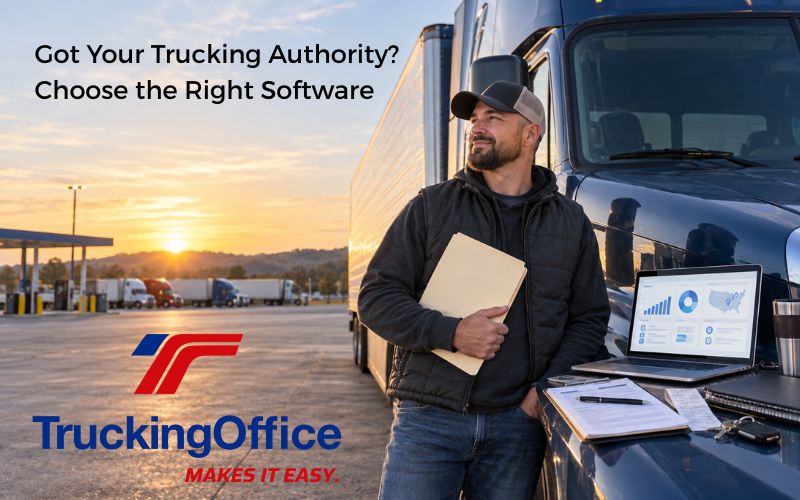
You got your operating authority! Congratulations!
After submitting all the applications, insurance filings, registrations, and then waiting for what seems like forever, you can finally run your own trucking company.
Now comes the next question: How do you run a trucking company?
Driving is one thing. Running a company is another.
What Systems Does a New Trucking Company Need?
Getting your trucking authority lets you operate. Now it’s time to choose the right software to help you stay in business. No matter which software you choose, your trucking business must manage these areas.
| Business System | What It Manages |
|---|---|
| Load management | Customers, rate cons, dispatches, routes, BOLs, and PODs |
| Invoicing and payments | Invoice packets, payment terms, and past-due invoices |
| Expense and business reporting | Fuel, tolls, maintenance, cost per mile, cash flow, and profit |
| Compliance records | ELD records, IFTA and IRP information, driver records, inspections, and required documents |
| Maintenance | Repair history, preventive maintenance, inspection dates, and reminders |
You have a choice. Will you manage these tasks with spreadsheets, load management software, or a complete TMS?
How Will You Manage Your New Trucking Business?
Now that your authority is active, you must decide where all this information will go. You could build a spreadsheet system, use software focused on loads, or begin with a complete TMS.
Some truckers hire professionals to help with the financial side of the back office. A bookkeeper or accountant can handle financial records and taxes, but not every accountant specializes in trucking reports such as IFTA, IRP, cost per mile, or profit by load.
Even a trucking accountant does not inspect your brakes, schedule an oil change, or document a completed repair. Those responsibilities still belong to the carrier.
Several TruckingOffice clients are accountants who use the program to produce IFTA and IRP reports. You can use the same TMS tools to organize mileage and fuel records to prepare your IFTA reports.
But dozens of trucking software products are on the market. Is there any difference between them?
Sure is.
What is a Trucking Spreadsheet System?
A trucking spreadsheet system is a set of separate worksheets that an owner builds for loads, trips, expenses, invoices, mileage, and fuel purchases. Forms, formulas, links, and macros can connect the information, but the owner must build and maintain that system.
Problems arise when mileage, fuel purchases, vehicle records, and jurisdiction information are scattered across different worksheets. Fuel purchases need specific types of information from the receipts for IFTA. Distance must be recorded by jurisdiction for IFTA and IRP.
You can buy prebuilt trucking business spreadsheets that have varying levels of support. The vendor may help repair a formula, but it cannot verify whether you entered the correct mileage, fuel purchase, date, or jurisdiction. So if a report suddenly shows you drove 3,200 miles in Ohio in one trip, you may have to trace the number through several cells, worksheets, or source documents to find the mistake.
Before choosing software, understand the difference between managing loads and managing the entire business.
What Software Should You Set Up After Getting Your Authority?
For managing the business behind your loads, trucking software generally falls into two broad categories: load-focused software and complete trucking management software.
The problem is that the terminology “trucking software” isn’t consistently used to describe these products. Two companies might call their products “trucking software,” but what they handle and how they do it are different.
What is Trucking Management Software?
Trucking management software (TMS) organizes the information used to run your trucking business from dispatch to paid invoice. It takes the data from your dispatches, expense reports, and delivery documents to provide business reports and analysis. It may integrate with ELD and accounting software or offer AI-assisted tools.
In this post, a complete TMS means software that connects load management with invoicing, payments, expenses, maintenance, tax-reporting information, and business analysis.
What is Load Management Software?
Load management software focuses primarily on planning, dispatching, tracking, and completing loads. Some products also include invoicing, expenses, ELD integrations, or reports. Owner-operators should examine the actual features instead of relying on the product’s label.
A limited load management system may stop at delivery or invoicing, while a complete trucking management system connects the load with payments, expenses, maintenance, IFTA and IRP information, and business analysis.
How Does Trucking Management Software Help a New Owner-Operator?
Trucking management software helps a new owner-operator by connecting loads, customers, drivers, trucks, and documents in one system, instead of relying on spreadsheets that require manual data entry and formula setup.
| Owner-Operator Task | Spreadsheets | Load Management Software | Complete TMS |
|---|---|---|---|
| Manage loads | Requires manual data entry and formula setup. | Manages loads and dispatches. | Connects loads, customers, drivers, trucks, and documents. |
| Send invoices | Requires templates and manual payment tracking. | May create invoices, depending on the product. | Creates invoices, attaches documents, and tracks payments. |
| Track profit | Requires formulas and repeated data entry. | Tracks rates but may offer limited expense reporting. | Connects load revenue with expenses and mileage. |
| Prepare IFTA and IRP | Requires manual records and calculations. | May track mileage but often lacks fuel-tax reports. | Uses mileage for IFTA and IRP and fuel records for IFTA. |
| Track maintenance | Requires separate logs and reminders. | May offer limited or no maintenance tools. | Records repairs and schedules future maintenance. |
Once your authority is active, which system will run the business behind your loads?
Take the Quiz

Your Operating Authority Is Granted. Are Your Systems Ready?
A spreadsheet can store numbers. Load management software can organize freight. A complete TMS can manage the business behind the freight.
Give yourself:
📊 Spreadsheet = 1 point
🚛 Load management software = 2 points
🟢 Complete TMS = 3 points
1. The load is delivered. Now what?
- 📊 Spreadsheet: Copy, paste, hunt for the POD, and pray.
- 🚛 Load management: Delivery complete. Invoicing may or may not be riding along.
- 🟢 Complete TMS: POD in. Invoice out. Paperwork miracle achieved.
2. Did the load make money?
- 📊 Spreadsheet: One tab says profit. Another recommends bankruptcy.
- 🚛 Load management: It knows the rate. The expenses have lawyered up.
- 🟢 Complete TMS: Revenue meets expenses. Gross pay quits bragging.
3. IFTA is due, and so is an oil change.
- 📊 Spreadsheet: Welcome to the quarterly scavenger hunt.
- 🚛 Load management: It knows where the freight went. The oil change is between you and the dashboard light.
- 🟢 Complete TMS: Mileage, fuel, and maintenance live together. Chaos has been evicted.
4. You add another truck.
- 📊 Spreadsheet: Make six new tabs and rename the file
FINAL-v9-REALLY-FINAL. - 🚛 Load management: The truck joins the fleet. The back office requests another app.
- 🟢 Complete TMS: Add the truck once. No new spreadsheet colony required.
Your Score
10–12 Points: Business Built
You are managing the company behind the truck—not merely admiring your gross revenue.
7–9 Points: Loads Managed, Business Pending
The freight is moving. Now check whether your invoices, expenses, maintenance, and reports made the trip.
4–6 Points: Spreadsheet Convoy
Your worksheets are reproducing. Move to a complete TMS before they demand their own parking spaces.
Behind the jokes is a serious question: Do you want a system that manages your loads or one that manages the business behind them?
Why Set Up Your TMS Before Your First Load?
Setting up your TMS before your first load helps you get familiar with the program. Learning a new computer program when you’ve got an invoice waiting to send is intimidating. Conquering the learning curve on sample data reduces that anxiety.
Set up your company information, trucks, trailers, drivers, customers, invoice terms, and document categories. Connect your TMS with your ELD or accounting software if you plan to use an integration. Then enter a sample load and invoice so you know how the workflow operates before real paperwork starts piling up.
Waiting may save one monthly payment, but it also means your first loads, expenses, documents, and invoices will begin in a temporary system. Moving that information later creates more work and increases the chance that something gets left behind.
Authority Is the Beginning
Getting your authority gives you permission to operate. It does not create your invoices, track your expenses, schedule maintenance, or tell you whether a load made money.
Set up those systems before the first rate confirmation lands in your inbox. A spreadsheet can store information, and load management software can move freight. A complete TMS connects the loads with all the details – documents, invoices, payments, expenses, reports, and maintenance. It doesn’t run your company. It gives you the tool to run it yourself.
Frequently Asked Questions about Trucking Business Management Software
What software do I need after getting trucking authority?
Depending on their operations, most carriers need an ELD, trucking business management software, and an accounting and tax-filing system. A complete TMS can reduce the need for extra software solutions.
Should I set up a TMS before my first load?
Getting practice on any new software before it becomes mission-critical is always smart. Using a TMS to establish good business practices from the beginning can save you time and money later.
Can QuickBooks replace trucking management software?
No. QuickBooks cannot replace trucking management software. It cannot compute miles per state for the IFTA and IRP reports. It doesn’t manage maintenance records or arrange records for compliance. It’s very good for invoices and business or personal taxes, but it’s not configured for the trucking industry.
Does a TMS replace an ELD?
No, it cannot replace an ELD. An ELD records hours-of-service information for drivers subject to the ELD rule. A TMS may use data from an integrated ELD, but it does not replace the ELD or create the required electronic records of duty status.
What is load management software?
Load management software focuses primarily on planning, dispatching, tracking, and completing loads. Some products also include invoicing, expenses, ELD integrations, or reports, so owner-operators should examine the actual features before choosing one.
Try TruckingOffice PRO for Free
You earn money with your truck by moving freight. Your business keeps that money by invoicing promptly, controlling expenses, maintaining your equipment, and using your data to pick the right loads.
Start with TruckingOffice PRO before the spreadsheets begin to spread. Try it for 30 days and build the business behind your first load.

Recent Comments