


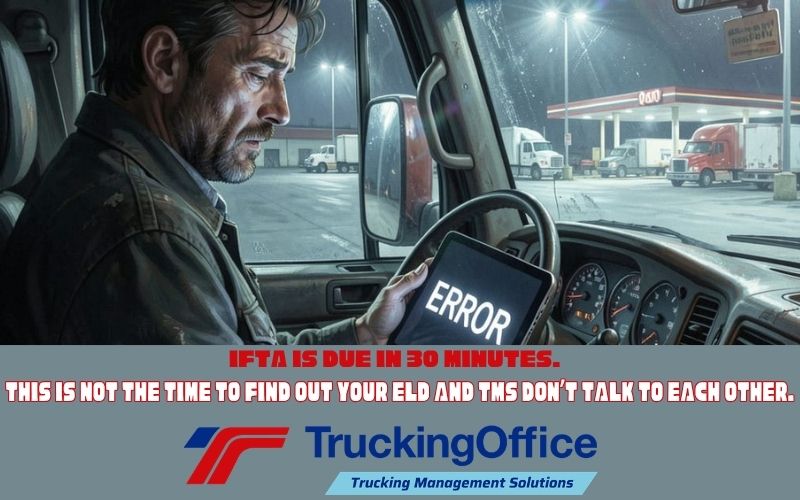
Trucking management software (TMS) manages your trucking company. Electronic logging devices (ELD or ELog) track your hours of service. When the two systems are integrated, information moves between them without repeated data entry.
For IFTA filings, the computer can produce the report in seconds – a huge time-saver for you. With mileage per state in the ELD and the fuel purchase records, the TMS creates the IFTA reports! YEAH!
At least, that’s how integration is supposed to work.
When two products claim they “work together” but don’t, it can be as frustrating as trying to find a parking spot at 10 PM on a Tuesday. Like, it’s not happening.
Instead of contracts for two separate systems that only wave at each other from opposite sides of the interstate, it’s worth the effort to make sure:
- The integration process isn’t too complicated
- Both products – by name and model number – will work together
- The combined costs fit your budget.
If the TMS can’t access the ELD records, the shiny red “CONNECT” button won’t help.
Why Should You Integrate Your TMS and ELD?
Connecting an electronic logging device with trucking management software can provide several benefits, depending on the specific integration.
- Faster communication. Drivers can get the latest updates on delivery changes when the ELD has this option active.
- Easier compliance recordkeeping. HOS information and mileage reports may be easier to produce and review through the connected system.
- Reduced manual entry. Mileage, location, truck, and load information moves between the ELD and TMS without duplicated entry.
- Better detention documentation. Timestamped location records can establish when a truck arrived and departed, supporting a detention fee claim.
The question most truckers face isn’t if an ELD and TMS can work together. It’s whether the specific products you’re considering work together – and if that combination does what you need.
Is It Hard to Integrate an ELD With a TMS?
It should not be difficult. When the two are designed to work together, ELD and TMS integration should be smooth. Some trucking software companies offer both an ELD device and TMS service as a part of their product line. TruckingOffice, for example, offers ELD packages that can be set up as a no-contract option or as a prepaid annual plan. Their ELD can be used alone or integrated with the TruckingOffice trucking company software.
Other TMS platforms can connect with ELogs from other companies. In those situations, the owner-operator will sign up for both the TMS and ELD.
Is the “Free ELD” Really Free?
Some companies might offer an ELD package included in the TMS subscription cost. They advertise it as “free” ELD. However, the price per vehicle may be higher to cover the “free” ELD.
Compare the total cost of both the TMS and the ELD, not just the advertised prices. While stacking apps and software programs to run a trucking business is common, consider all costs when making software and equipment decisions.
If I Have a TMS, Do I Need an ELD?
Possibly. Having a TMS does not eliminate the need for an ELog. FMCSA regulations determine who needs an ELD. Trucking management software integrated with an ELD can create a smoother workflow, but it cannot replace a driver’s HOS log. The driver is still responsible for reviewing, correcting, and certifying the records.
Do You Need Two Subscriptions?
Possibly. If different companies provide the TMS and the ELD, you may have to sign up for separate subscriptions. Either may have a yearly contract. The ELD might have activation fees, data charges, and hardware return requirements. If the same company provides both, ask whether the quoted prices include ELD hardware, service, and integration, and whether the equipment requires a separate cellular device (phone or tablet).
Using ELD Data for IFTA and IRP Reports
The ELD collects the location data from the GPS and miles via ECM (the truck itself). Then the TMS creates the IFTA report.
Since the same mileage data is needed for the IRP registration, it makes sense that your TMS could do both. If you want to use ELD data for either your tax or registration reports, make sure the two work together this way.
Before you sign either contract, take this semi-serious compatibility quiz.

Will Your TMS and ELD Work Together—or Just Exchange Awkward Glances?
Give yourself:
🟢 Yes = 2 points 🟡 Not sure = 1 point 🔴 No = 0 points
1. Has the TMS company confirmed that it connects with your specific ELD?
- 🟢 Yes. The exact ELD model is supported.
- 🟡 One salesperson said, “It should work,” with great confidence and no documentation.
- 🔴 I assumed all trucking technology speaks the same language.
2. Do you know what information moves between the two systems?
Consider available HOS, location, vehicle information, and mileage by jurisdiction.
- 🟢 Yes. I know exactly what transfers and where it goes.
- 🟡 The companies say the systems “integrate,” which could mean anything from sharing data to exchanging Christmas cards.
- 🔴 There’s a button labeled “Connect.” What else could I possibly need to know?
3. Do you know the complete cost?
Include the TMS subscription, ELD hardware, cellular data, activation charges, installation, contracts and hardware return requirements.
- 🟢 Yes. I found all the fees (even the ones hiding in the bushes).
- 🟡 I know the advertised monthly price. I have not yet entered the fine-print wilderness.
- 🔴 The advertisement said “free ELD,” and free has never caused trouble before.
4. Can the integration produce the reports you need?
- 🟢 Yes. I have confirmed that it provides the HOS visibility and mileage reports I need.
- 🟡 Information transfers somewhere. I’m hoping it eventually becomes a useful report.
- 🔴 I assumed “integration” meant the software reads my mind and prepares my IFTA report.
5. Do you know who provides support when the connection fails?
- 🟢 Yes. I know whom to call and what support is included.
- 🟡 Both companies offer support. Neither has admitted which one supports the integration.
- 🔴 I’m prepared to spend an afternoon listening to two support departments blame each other.
Your Score
| Score | Result |
| 9–10 | Ready to Connect: You know what you’re buying, what it does, and whom to call when technology decides it needs a personal day. |
| 6–8 | Check the Connections: You’re close but get the missing details in writing before handing over your credit card. |
| 0–5 | Integration Breakdown Ahead: Step away from the “Buy Now” button and ask more questions before your software stack becomes a digital junk drawer. |
What Should You Ask Before You Buy?
Start with this question: What do you need your TMS and ELD to do? Are you looking for basic compliance and dispatch/invoicing? Or do you want more robust maintenance management and load tracking? You decide based on what you need to run your trucking business.
What do you want from your TMS? Decide whether you want one complete trucking management program such as TruckingOffice PRO. Or do you want to stack different programs together?
What features do you want? Do you want a program that handles loads from dispatch to invoice? What about maintenance records or IFTA reports? Some companies call their product “trucking software” but it has limited features.
What’s your budget? Knowing in advance what you will pay for your TMS or ELD will help weed out overpriced options. With a complete software package, you may find the price is lower than using a stack of unrelated programs or spreadsheets.
Is the ELD compliant? Check the FMCSA’s registered list. Several ELDs have been removed in the past 12 months, but some of their websites remain live.
Will the ELD and TMS integrate? How the two connect matters. Are they wired together? Do they use Bluetooth to transfer the data? Does the ELD require a phone or tablet with cell service?
Do you want to be compatible with Highway.com? If you want to be compatible with Highway.com, then you need an ELD with their interface. Not all ELDs are Highway compatible.
With these questions answered, it’s time to narrow down your choices.
- ✅If you’re looking for a basic, minimum-compliance ELD, then scratch off your list the fleet management ELD systems.
- ✅If you’re looking for software that will handle invoices and IFTA, check for complete TMS programs rather than spreadsheets.
Choose a TMS and ELD That Work Together
Confirm that the exact TMS version and the ELD’s model number will work together, exchange the information that each needs, and produce the reports you want. The complete costs and support responsibilities need to be clear before you sign any contracts.
Good integration will reduce your paperwork. You don’t need another 11:30 PM battle in a truck stop parking lot, trying to make them work minutes before your IFTA filing is due.
The TruckingOffice ELD is designed to integrate with the TruckingOffice trucking software. Neither requires a contract. Together, they reduce repeated data entry for IFTA and IRP reports.
Sign up today for a free 30-day trial of TruckingOffice PRO trucking software and get started with your integration trip.

Updated August, 2026



I’m a truck company but I’m getting ready to hire on drivers so I’m looking for a ELD to use. Does your ELD come with a tablet or is it a bring your own device /plug in play? What’s the initial cost at the beginning and monthly cost?
The TruckingOffice ELD is a bring your own device system. Our app will run on any phone or tablet. We have monthly payment plans and annual plans. Click here to learn more about the TruckingOffice ELD.