


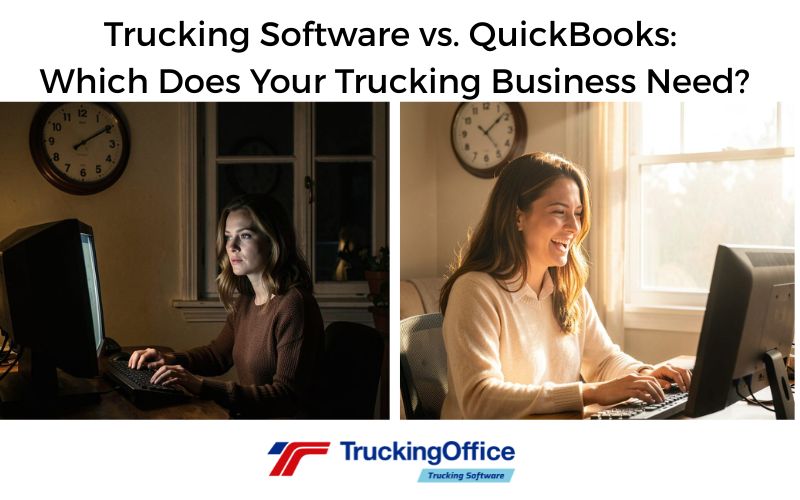
QuickBooks and trucking management software like TruckingOffice PRO solve different problems. QuickBooks is general-purpose accounting software. Trucking management software connects dispatches, loads, miles, expenses, invoices, and trucking reports.
Still weighing spreadsheets against dedicated software? See our guide to trucking automation and what happens when a home-built Google Sheets system breaks.
Time is the other half of the comparison: see how trucking management software saves time on the paperwork behind every load.
Still deciding what your software really has to do? This breakdown of efficient trucking software for owner-operators covers the one-entry test.
Shopping for a trucker rather than for yourself? We also look at the best gifts for truck drivers and why trucking software makes a surprisingly practical one.
Neither tool helps if the invoice never gets paid — see why past-due invoices hurt trucking cash flow and how to track them.
Some trucking businesses use both. If they have a bookkeeper or accountant, it’s likely they’ll want to use what they know. But QuickBooks cannot replace trucking management software (TMS).
To be fair, QuickBooks was never designed to be trucking company software. As general accounting software, it’s an industry standard. We even offer an integration option to transfer data to it.
We respect QuickBooks. But truckers need a program that works with the trucking industry.
Can QuickBooks and Spreadsheets Replace Trucking Software?
No, not as a complete system. QuickBooks and spreadsheets could handle some of the work. But they don’t connect those tasks in one workflow.
A complete TMS that reuses your data for dispatches, invoices, IFTA, and business reports is more efficient than moving data back and forth.
We’ve all told ourselves:
“I don’t need trucking software. I’ve got QuickBooks, Excel, three notebooks, and a really good memory.”
Let’s see how that’s working.
Take this semi-serious quiz.
How Do You Manage Your Trucking Company?
Give yourself:
🟢 = 3 points 🟡 = 2 points 🔴 = 1 point
1. A broker emails you a rate confirmation. What happens?
🟢 I upload it to my TMS and it creates the dispatch. Then I’m ready to roll.
🟡 I open QuickBooks…then remember QuickBooks has no idea what a rate confirmation is.
🔴 I print it, lose it, then ask the broker to send it again.
2. It’s IFTA quarter. Your software says…
🟢 “Your report is ready.”
🟡 “Good luck exporting all that into Excel.”
🔴 “IFTA? Is that one of the Star Wars planets?”
3. Someone asks, “What was your Cost Per Mile last month?”
🟢 “Give me five seconds.”
🟡 “Give me five spreadsheets.”
🔴 “Depends…are we counting emotional damage?”
4. Which load had the most deadhead miles?
🟢 My software already knows.
🟡 I’ll figure it out after comparing maps, receipts, dispatch notes, and my GPS history.
🔴 Every mile without a paycheck feels like deadhead.
5. The customer says, “We never got your invoice.”
🟢 Here’s the invoice, rate con, POD, timestamp, and email showing exactly when I sent it.
🟡 Hold on…I know it’s in one of these folders…
🔴 Well…that explains why I haven’t been paid.
Your Score
13–15 Points 🚛 Dispatcher Jedi
Your trucking software is doing the paperwork while you haul freight. Congratulations. You may actually get to eat lunch while it’s still warm.
9–12 Points 📊 Spreadsheet Survivor
Your accounting software keeps beautiful books. Unfortunately… Your trucking business lives in PDFs, emails, and copy-and-paste.
5–8 Points 🔥 Chief Executive of Controlled Chaos
Your office runs on QuickBooks, Excel, Gmail, sticky notes, coffee, panic, and “I’m pretty sure I saved that somewhere.” Your accountant sends holiday cards to your therapist from Tahiti.
Do You Need Trucking Software or General Accounting Software?
QuickBooks knows where the money went.
A TMS knows which load, truck, customer, and mile it came from.
There’s a big difference.
Trucking software manages invoices from dispatch to final payment. That alone is worth its price. Both systems can track money, but only trucking software is designed to reuse the data for IFTA, IRP, and business reports.
| Business Task | QuickBooks | TruckingOffice PRO |
| Bookkeeping and financial statements | Yes | Yes |
| Dispatch and load management | No | Yes |
| Trucking Invoice Packets | Requires manual setup | Yes |
| Per-mile business reports | No | Yes |
| IFTA and IRP Reports | No | Yes |
Do I Need Separate Accounting Software?
There’s no need for external accounting software packages when a complete trucking management system includes both operational and accounting tools.
QuickBooks does not natively create dispatches, generate IFTA or IRP reports, calculate deadhead, or produce trucking-specific per-mile business reports.
Some trucking software packages offer integration with accounting programs. But for invoices, a complete trucking software is enough to run your trucking business.
Should You Use QuickBooks for Invoicing?
QuickBooks can create invoices, but it doesn’t connect them to dispatches, load documents, mileage, and trucking reports. A complete TMS reuses the data from dispatch through payment and business analysis.
FAQs
Can QuickBooks replace trucking management software?
No. Trucking management software handles many tasks that a trucking company needs, such as IFTA and IRP, while QuickBooks does not.
Can QuickBooks calculate cost per mile for a trucking business?
No. QuickBooks cannot compute a cost-per-mile number for a trucking business. Its mileage tracker records deductible business travel.
Do I need QuickBooks if I use trucking software?
Not necessarily. Complete trucking software may handle invoicing, expenses, and business reports. Some companies still use QuickBooks for their accountant or bookkeeper.
Can trucking software send data to QuickBooks?
TruckingOffice PRO has an integration feature with QuickBooks for data transfer. Other trucking software programs may offer similar integrations.
Is QuickBooks trucking accounting software?
No. QuickBooks is general-purpose accounting software. It does not natively create dispatches, generate IFTA or IRP reports, calculate deadhead, or produce trucking-specific per-mile business reports. Trucking software connects dispatches, loads, miles, expenses, invoices, and trucking reports in one workflow.

Recent Comments