


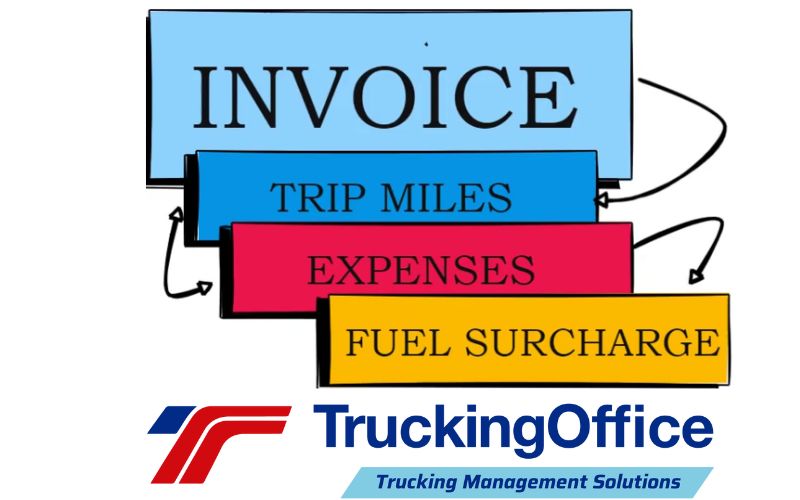
You know that feeling you get when you read a question with a bunch of abbreviations and you know what all of them mean? That’s how we felt when we looked at this. We know the ELD is electronic logging device and TMS is trucking management software. So the question “Why link your ELD with your TMS?” makes sense to us. What doesn’t make sense is why more people aren’t asking it.
Linking your ELD to your TMS means the miles recorded by your electronic logging device flow into your trucking management software, so your IFTA, IRP, maintenance, invoices, driver pay and business reports are built from the same accurate mileage without re-entering data.
ELD, E-LOG Benefits? What Are You Paying For?
If you look at many ELD or E-Logs, they have lots of bells and whistles (that we have to pay for) that are nice, but maybe have features that exceed what independent owner operators need. Is having constant GPS reports on a load location important? Are engine diagnostics important enough to pay more for?
Maybe they are. But the extra price may be cost prohibitive, especially if a new driver is looking for a cost-effective, compliant ELD.
Sometimes, simple and easy to use without breaking the bank is enough. For a solo owner-operator, knowing where your truck doesn’t require GPS – it’s a matter of looking out the window. 😆 (Or maybe at the ceiling when you’re in your bunk. 🙄)
TruckingOffice ELD doesn’t offer many of the bells and whistles. What it does offer is a precise way to track your miles for your IFTA.
And when it’s linked to TruckingOffice PRO trucking management software, it’s supercharged system to run not only your IFTA but also your IRP.
(Boy, you’d think that was obvious. It’s the same miles, right? Having your ELD linked to your TMS should take care of that.)
TruckingOffice PRO runs your trucking business.
Having a full trucking management software isn’t just about tracking your invoices. It covers far more, including
- IFTA
- IRP
- Maintenance – records and scheduling
- Invoices
- Driver pay/records
- Business Reports
If you link your ELD to your TMS – all those things are possible because the most accurate reporting of your miles will be accessible by the TMS. Otherwise, how does your TMS know?
You have to enter all that data yourself.
Why waste the time – when TruckingOffice ELD links to TruckingOffice PRO and handles it for you?
Link Your ELD to Your TMS
Why do they need to work together?
How much time do you want to spend running your business instead of working your business to make money?
That’s the ultimate question.
If you want to build a successful trucking business, start with the simple, easy to use, and compliant ELD from TruckingOffice. Then link it to the complete TMS TruckingOffice PRO and let the software do what it does best – handle the details so you can get on the road.
You might think that it’s cheaper to use a “free IFTA report” software. You might think you can do it all on Google Docs and Spreadsheet (and Google Maps and whatever else you can find online.) In the end, you’ll spend more time working on the computer. You’ll find out those so-called free IFTA report software options are not free (and may not be accurate when it comes to the current tax rates.)
TruckingOffice Trucking Management Software
TruckingOffice PRO offers the best options for the solo trucker or the fleet builder. We’ve got affordable trucking management software that handles everything. TruckingOffice PRO makes your life easier and managing your business smoother by helping you handle your tasks better and faster:
- dispatches
- routing
- invoice generation and tracking
- expense management
- IFTA and IRP
- maintenance
- Trucker Stats™– reports to show the state of your trucking business.
Combined with the TruckingOffice ELD, you’ve got everything you need to build a successful trucking business – even from the cab of your truck.
Contact us today to learn how TruckingOffice PRO can help you avoid loads that cost you money to deliver and to discover what equipment is the most profitable for you.
Frequently Asked Questions About Linking Your ELD to Your TMS
What does it mean to link your ELD to your TMS?
Linking your ELD (electronic logging device) to your TMS (trucking management software) means the miles your ELD records are available to your management software. Because the ELD gives the most accurate reporting of your miles, your TMS can use them directly instead of relying on data you enter yourself.
Why should an owner-operator link an ELD with a TMS?
The same miles drive your IFTA, your IRP and much of the rest of your business, so linking the two saves you from entering that data yourself. With TruckingOffice ELD linked to TruckingOffice PRO, the miles tracked by the ELD feed the software that handles IFTA and IRP, which saves time and money.
What does trucking management software cover beyond invoicing?
A full TMS covers far more than invoices. TruckingOffice PRO handles dispatches, routing, invoice generation and tracking, expense management, IFTA and IRP, maintenance records and scheduling, driver pay and records, and Trucker Stats reports that show the state of your trucking business.
Does an owner-operator need an ELD with lots of extra features?
Not necessarily. Many ELDs include features such as constant GPS load reports and engine diagnostics that can exceed what independent owner-operators need and raise the price. A simple, easy-to-use, compliant ELD that tracks your miles precisely for IFTA can be enough, and TruckingOffice ELD is built around that approach.
Are free IFTA report tools a good alternative to linking your ELD to a TMS?
Usually not. Free IFTA report software and spreadsheet workarounds are not really free, because you spend more time working on the computer, and they may not be accurate when it comes to current tax rates. Linking your ELD to a TMS lets the software handle those details for you.
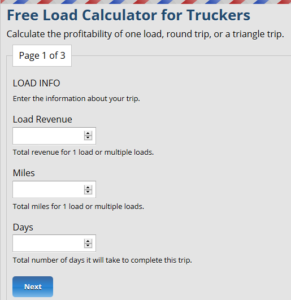
I would be interested in learning more.
The best way to get started is to sign up for the FREE TRIAL of the trucking software. Someone from out team will reach out to you and answer all of your questions.