


You gotta get paid. The question is – how are you asking for it? Shippers and brokers don’t just send you the payment. Most brokers and shippers expect an invoice with the supporting paperwork they require before they’ll process payment.
What’s in an Invoice?
An invoice is an important document that assembles the charges for the trip. That means your job at delivery isn’t over – it’s time to handle the paperwork.
An invoice generally identifies:
- The carrier and customer
- Invoice number and date
- Load or reference number
- Freight charges
- Applicable fuel surcharges and accessorial charges
- Total amount due and payment terms
The problem with paperwork is that it’s sometimes digital, sometimes paper, and sometimes missing entirely. How do you handle receipts while you’re on the road?
What Happens When Paperwork Goes Missing?
Losing a receipt isn’t just about messing up the invoice. Lost paperwork hurts several aspects of a trucking business. For example:
When fuel is $6.00 per gallon, and you just put 200 gallons into the tank, a portion of that bill is fuel tax. You should get credit for it when filing IFTA. But if you’ve lost the receipt, don’t count on your VISA statement to show the fuel taxes when you file your IFTA report.
That’s not an extreme example. Lose the rate con and you may have to throw yourself on the mercy of the broker or shipper to get another copy. Or the POD goes AWOL and you may be SOL.
So how do you prevent that from happening?

What Kind of Paperwork Wrangler Are You?
It’s invoice time. What’s your night look like?
- A. Squinting at pictures on my phone and typing receipts into a spreadsheet until my eyes cross.
- B. Dumping the envelope on the kitchen table and hoping the Tulsa fuel receipt isn’t in the Dallas pile.
- C. One click. I’m eating dinner.
You just got your lumper receipt. Where does it go?
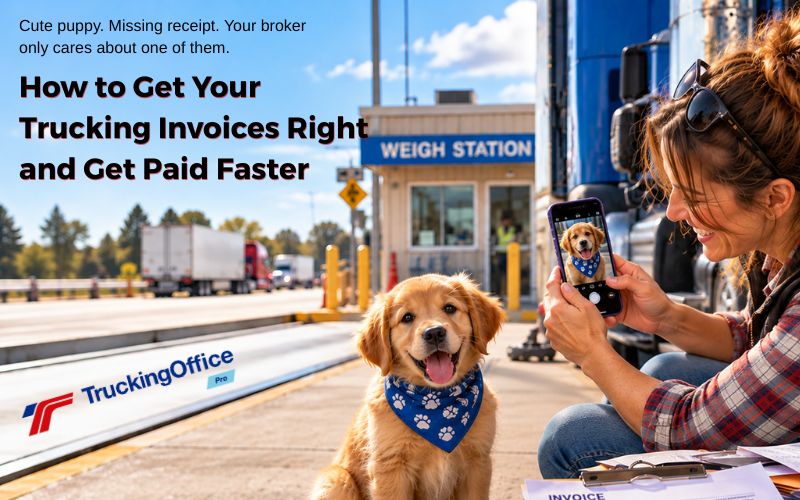
- A. Straight into a photo. Somewhere in my camera roll, between 40 pictures of sunsets, 4 pictures of my truck, 211 pictures of my grandkids, and the cute puppy at the weigh station.
- B. My pocket. It’s fine. Pockets are a filing system. When it’s full, I use my other pocket. Then I throw them on the passenger seat. What’s the problem? I’ll put them in the envelope. Eventually.
- C. Snapped and attached to the load in my TMS before I’ve left the dock.
Broker accounting emails: “Your invoice is missing the signed rate con.” Your reaction?
- A. I know I saved it. Give me 20 minutes while I scroll my photos.
- B. Rate con? Was that in the glovebox or the puddle? Do you have a flashlight I can borrow?
- C. It’s attached to the load. Sent in 10 seconds. I went back to the game already.
What’s Your Trucking Paperwork Wrangler Personality?
Mostly A’s? You’re the Receipt Paparazzi!
You take immediate pictures of receipts and documents to store them online. That’s a pretty good choice – if you can remember whether you emailed them to yourself or if they’re in the file folder labeled “Grandkids.”
But the picture of the puppy at the weigh station is soooooo cute!

Mostly B’s? Your Secret Identity is the Glovebox Gambler!
You prefer paper – right up until it falls a) behind the passenger seat; b) in a puddle at the fuel pump, or c) both. You like the envelope method – collect everything, take it home, and cut corners by copying old invoices. Then you enter the data into a spreadsheet or trucking software program (TMS) on your desktop and pray you kept everything.
Unfortunately, your broker isn’t running a casino, and payment delays aren’t a jackpot.

Mostly C’s? You’re not average, you’re the Organized Outlaw!
You use a complete trucking software program. It may upload those pictures and attach them to the load. Rate cons may arrive before a dispatch, but once the dispatch is created, the rate con is linked instead of staying on the phone or in an email. You get paid fast and sleep well.
We’re not worried about you. Go enjoy your dinner.

Prepping For Invoice Creation
Creating an invoice should not take as long as delivering the load.
- Receipt Paparazzi, keeping records in image files means copying the information on the images into an invoice template, TMS, or spreadsheet. With TruckingOffice PRO, you can upload an image and avoid typing with the auto-fill feature.
- But if we’re talking about spreadsheets and Google Docs, all bets are off. Paparazzi Queen, you may be typing late into the night.
- Glovebox Gambler, you’re putting a lot of faith in that envelope. But if you’re hauling multiple LTL shipments or picking up a return load, paperwork can accidentally go into the wrong envelope. Will our Glovebox Gambler remember that when you get home and fire up your computer to prepare the invoice? TruckingOffice PRO’s workflow can prevent that problem by linking expenses to a load.
- Gambler, you can use your envelope to carry your stake to the casino instead.
- Organized Outlaw, you’re not taking any risks. You use a complete trucking software program to upload pictures and attach them directly to the load. By uploading images and updating expenses in a TMS in real time, that invoice can be ready in less than a minute with TruckingOffice PRO.
- Yes, we’ve timed it.
- So have you.

Create Your Invoice Correctly the First Time
If you don’t have an accurate invoice, the shipper or broker can delay payment.
One common problem is the broker’s email address. Don’t assume the broker or shipper wants your invoice sent to the same email address that sent you the rate con. Check the billing instructions for the shipper’s accounts payable department address, not accounts receivable. If you’re mailing a hard copy – yeah, that still happens sometimes – make sure you have the correct mailing address.
Double-check your accessorial charges. Are they covered by the rate con?
If you’re adding a detention or layover fee, document it thoroughly. We suggest adding your truck’s GPS locations along with timestamps from your ELD as evidence.
If you’re using a factoring service, include your remit-to details.
For truckers who are using spreadsheets and Google Docs… this can be a huge time suck. Some owner-operators have automated this process with macros. Others use a template that they’ve bought or downloaded for free.
Using TMS to create your invoices can save you hours of time. TruckingOffice PRO can assemble your invoice quickly and efficiently once you’ve uploaded the POD and all the necessary expenses.
Once the invoice is ready, now it’s time to put together the invoice packet.
What’s In an Invoice Packet?
An invoice packet is a collection of several documents that shippers or brokers need to pay a motor carrier. They may include:
- Your invoice
- Rate con
- Signed POD or BOL
- Receipts for reimbursable expenses
- Documentation for accessorial charges
- Other documents required by the shipper or broker
The problem isn’t usually creating the invoice. It’s keeping track of everything that needs to go into the invoice packet.
Trucking Invoice Packet Checklist
Before you hit Send, make sure you have:
☐ Invoice
Correct customer, load number, charges, total due, and payment terms.
☐ Rate con
Include it when required by the broker or shipper.
☐ Signed POD or BOL
Make sure you have the required proof that the freight was delivered.
☐ Accessorial documentation
Detention, layover, stop-off, TONU, or other charges need whatever supporting documentation the customer requires.
☐ Receipts for reimbursable expenses
Lumper fees, scales, tolls, or other expenses the customer agreed to reimburse.
☐ Any customer-specific documents
Check the rate con and billing instructions. Some customers require additional paperwork.
☐ One last check
Right customer? Right load? Right amount? All required documents attached?
Everything checked? Send it. The payment clock can’t start until the customer has what they need to process your invoice.
TruckingOffice PRO Sends Your Invoices For You
That’s the real value of TruckingOffice PRO. No extra typing, no extra data entry. Everything that you’ve added during your trip is there, ready for you to hit send.
Why wait? Try TruckingOffice’s free trial for TruckingOffice Pro. Some trucking software companies offer a free trial – but expect you to pay to print reports or invoices. Not TruckingOffice. You’ll have a 100% free, 100% complete view of the program to see how it can help you get your invoices out on time.
And if you decide to send an invoice out during the free trial – we’re cool with that. Cause you gotta get paid.
Check Out Our Other Trucking Invoices Blogposts!
Free Trucking Invoice Templates: What Do They Really Cost?
Send Your Trucking Invoice Fast, Before NET 30 Becomes NET Whenever

Updated October, 2026



Recent Comments